Canvas first
Build with notes, lists, templates, assets, and model blocks instead of stacking chat windows.
macOS alpha
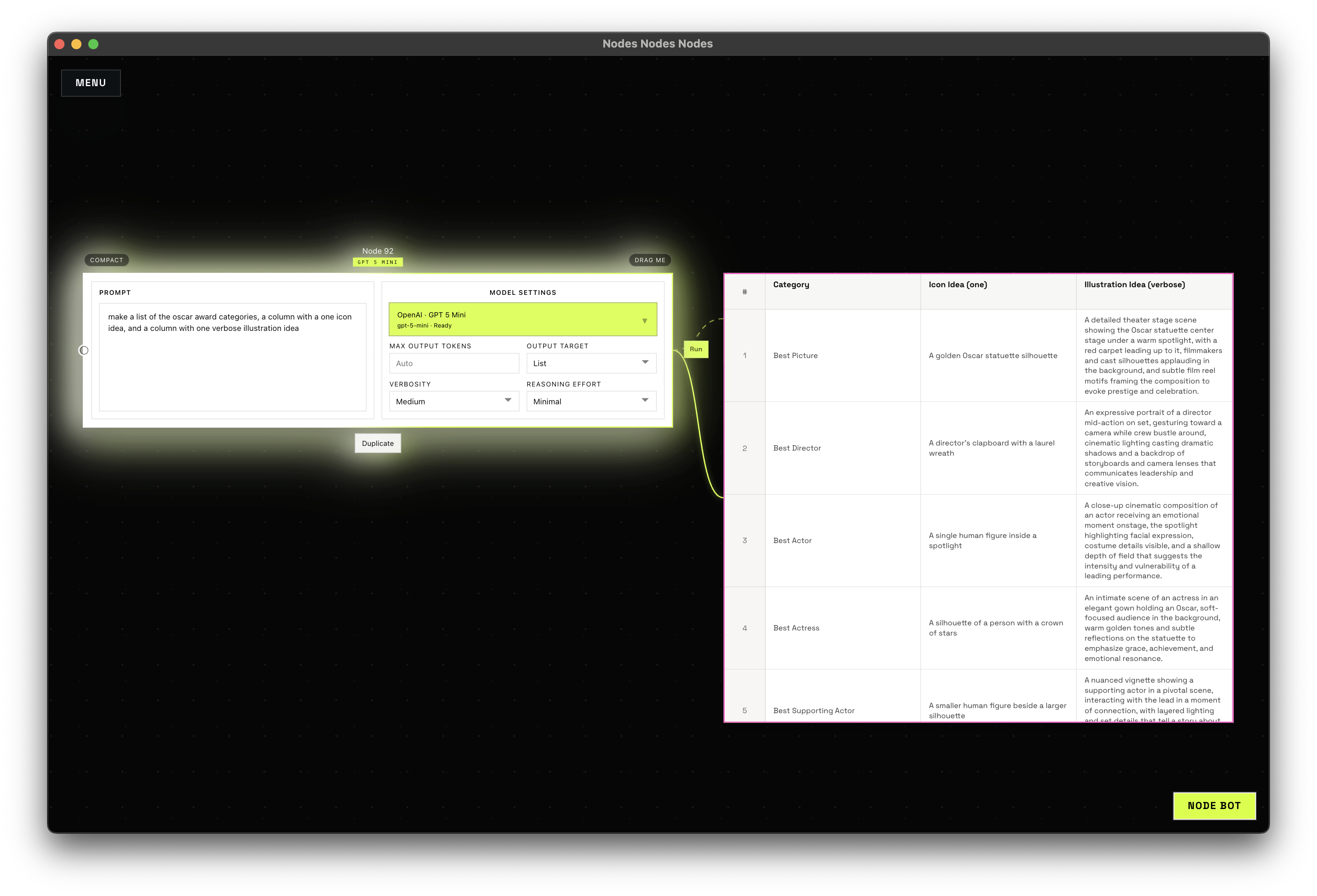
Build prompt and asset flows on a real canvas, run OpenAI, Google Gemini, and Topaz from one interface, inspect each job, and review outputs without leaving the project.
Apple Silicon. Single-user. GitHub handoff today.
Why it matters
Nodes Nodes Nodes is built for the work around the prompt: laying out the flow, running the job, seeing what happened, and deciding what earns another pass.
Build with notes, lists, templates, assets, and model blocks instead of stacking chat windows.
See what is queued, running, succeeded, or failed from the same project that launched it.
Compare outputs, keep the strong ones, and move into the next round without losing context.
What is in the product
Create, reopen, and switch isolated projects without one giant history pile.
Lay out the flow visually, connect the pieces, and keep the work readable.
Inspect job state, track progress, and go back to what actually happened.
Compare outputs quickly and decide what deserves another pass.
Node Library
The Node Library is the quick read on what each block does, why it belongs on the canvas, and how the pieces fit into a connected workflow.
Runs OpenAI, Google Gemini, or Topaz from the canvas.
Keeps prompt language, instructions, and context in plain sight.
Turns options and batches into rows you can scan and reuse.
Keeps reusable prompt structure on the canvas.
Brings source material into the project and keeps it visible.
Keeps outputs attached to the flow that produced them.
Availability
Download
The current alpha lives on GitHub, along with the latest build notes and install context.
Current shape
This is a Mac-first alpha for one person working locally on connected AI workflows.
Quick answers
A visual workflow canvas for creative AI work on macOS.
People who are tired of bouncing between provider tabs, prompt notes, and output folders.
OpenAI, Google Gemini, and Topaz.
Yes. The current alpha is handed off through GitHub.